Bytecap
Bytecap
Bytecap
Bytecap's main playground for generative media. Choose top image and video models, test prompts in seconds, upload reference images, and try 40+ presets before spending credits on full renders.
Choose models like Sora 2, Veo 3.1, Nano Banana & more. Plus customize styles, moods, and realism.
Style: REALISTIC
Model: openai/sora-2
lifestyle shot of a confident,...
Style: NONE
Model: google/veo-3.1
winter scene featuring a woode...
Style: NONE
Model: google/veo-3.1
Flying over mountains during s...
Style: VIBRANT EXPRESSION
Model: google/veo-3.1
Gamer promoting google veo 3.1...
Style: NONE
Model: google/veo-3.1
Racing through a futuristic ci...
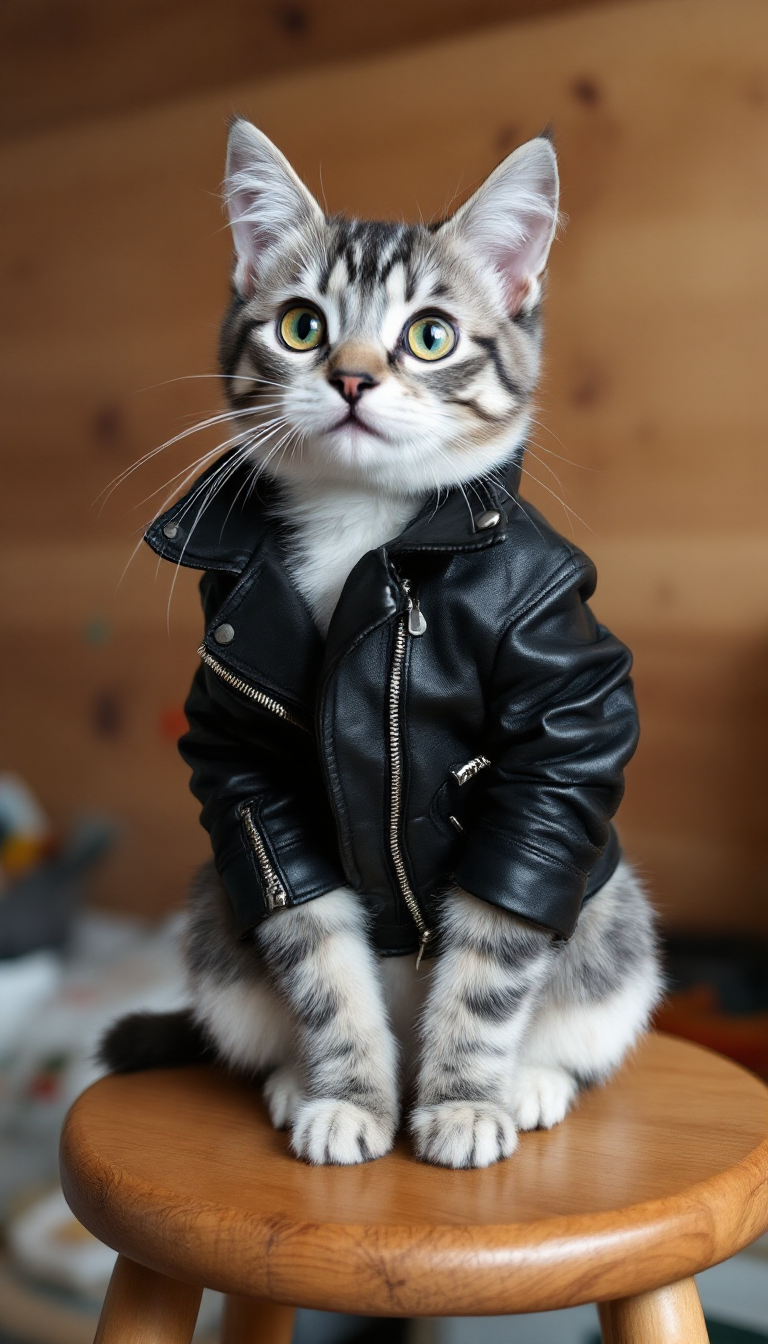
Style: REALISTIC
Model: black-forest-labs/flux-1.1-pro
cat wearing leather jacket...
Style: NONE
Model: bytedance/seedance-1-lite
Dragon and dragonfly...
100,000+ creators testing AI models in the Playground

The AI Playground is Bytecap's main tool for testing image and video generation models side by side. Pick a model, enter a prompt, add reference images, and preview outputs instantly—before spending credits on full renders.
No captions or B-roll workflows here—just fast prompt testing for generating images and videos with the best models available.
Without a sandbox you can't tell which model is best for cinematic shots, product renders, or talking heads, or how duration and aspect ratio change the look.
The AI Playground removes that guesswork. Preview image and video generations instantly across models, durations, and styles before you commit to full renders.
Step 1: Pick a Model — Choose Flux, Seedream, Nano Banana (image) or Veo 3.1 (video with audio option).
Step 2: Add Prompt + References — Enter your prompt and drop in reference images to guide style and composition.
Step 3: Set Duration & Aspect Ratio — For video, choose 4s/6s/8s lengths, toggle audio, and pick portrait, square, or landscape.
Step 4: Apply Presets — Use 40+ themes or community presets to accelerate styling.
Step 5: Preview Instantly — Compare outputs fast, then render the best result with confidence.
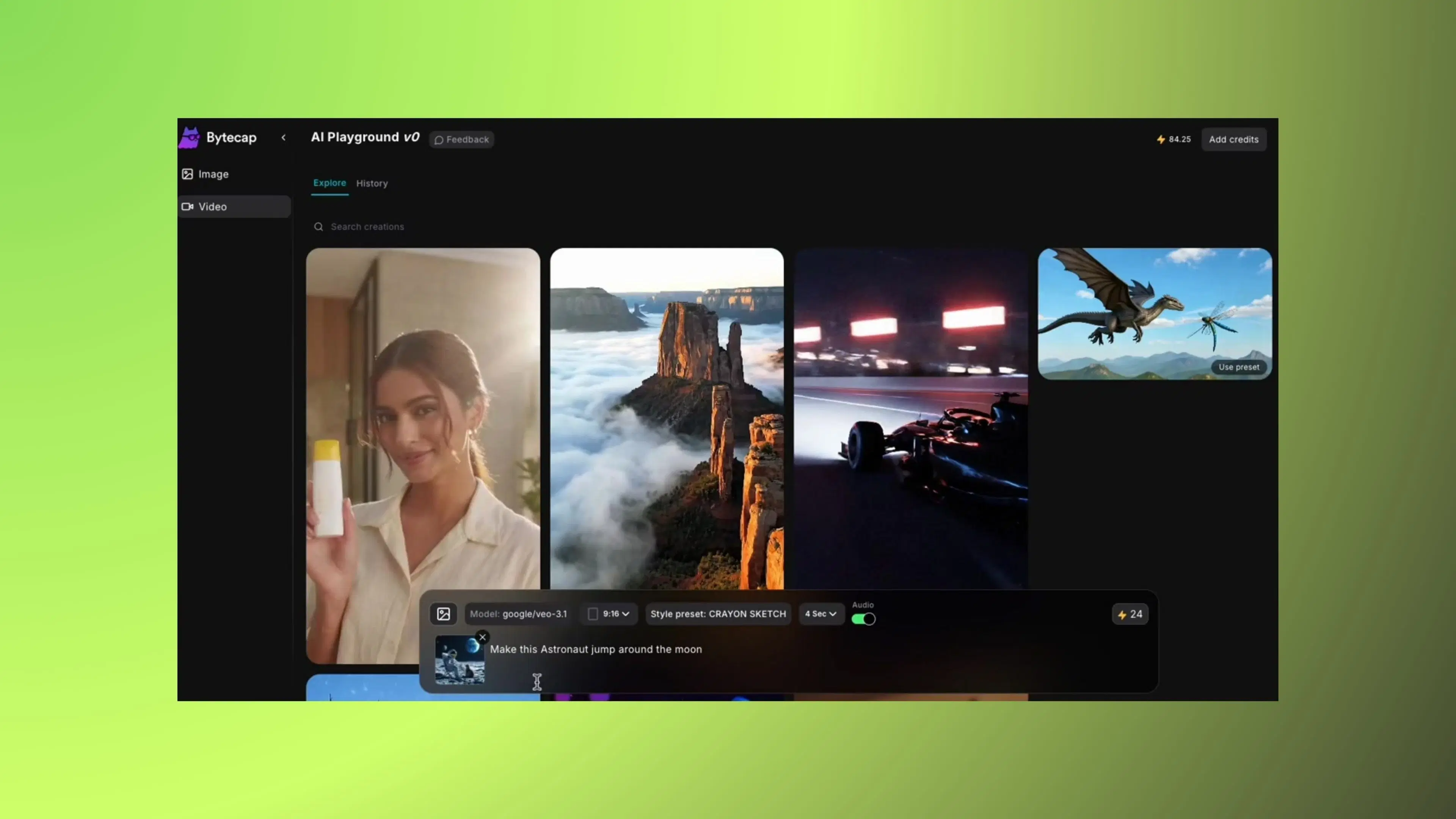
Image model
Credits: 1
Supports reference images
Image model
Credits: 1
Supports reference images
Image model
Credits: 1
Supports reference images
Video model
Credits: 24
Supports reference images
Durations: 4s, 6s, 8s
Optional audio generation
Test prompts in seconds before spending credits on full renders.
Compare Flux, Seedream, Nano Banana, and Veo outputs side by side.
Upload reference images to lock in style, framing, and characters.
Apply curated looks instantly or start from community presets.
Pick 4s/6s/8s clips, enable audio, and choose portrait, square, or landscape.
Experiment without risk—perfect your settings before production renders.
Switch between multiple text-to-image models and compare outputs.
Generate clips with different text-to-video models and durations.
Upload refs to guide style, composition, and consistency.
Pick lengths and aspect ratios suited for TikTok, YouTube, or reels.
Apply curated looks instantly across models.
Browse and apply presets shared by the community with one click.
Preview time—see results instantly
Top AI models to compare
Preset themes and community styles
Risk-free experimentation
Start from your dashboard and choose the AI Playground entry point.
Select an image or video model, add your prompt, and upload references.
Adjust duration, aspect ratio, and presets—then preview and render your favorite output.
Start creating viral TikToks, Instagram Reels & YouTube Shorts today!