Bytecap
Bytecap
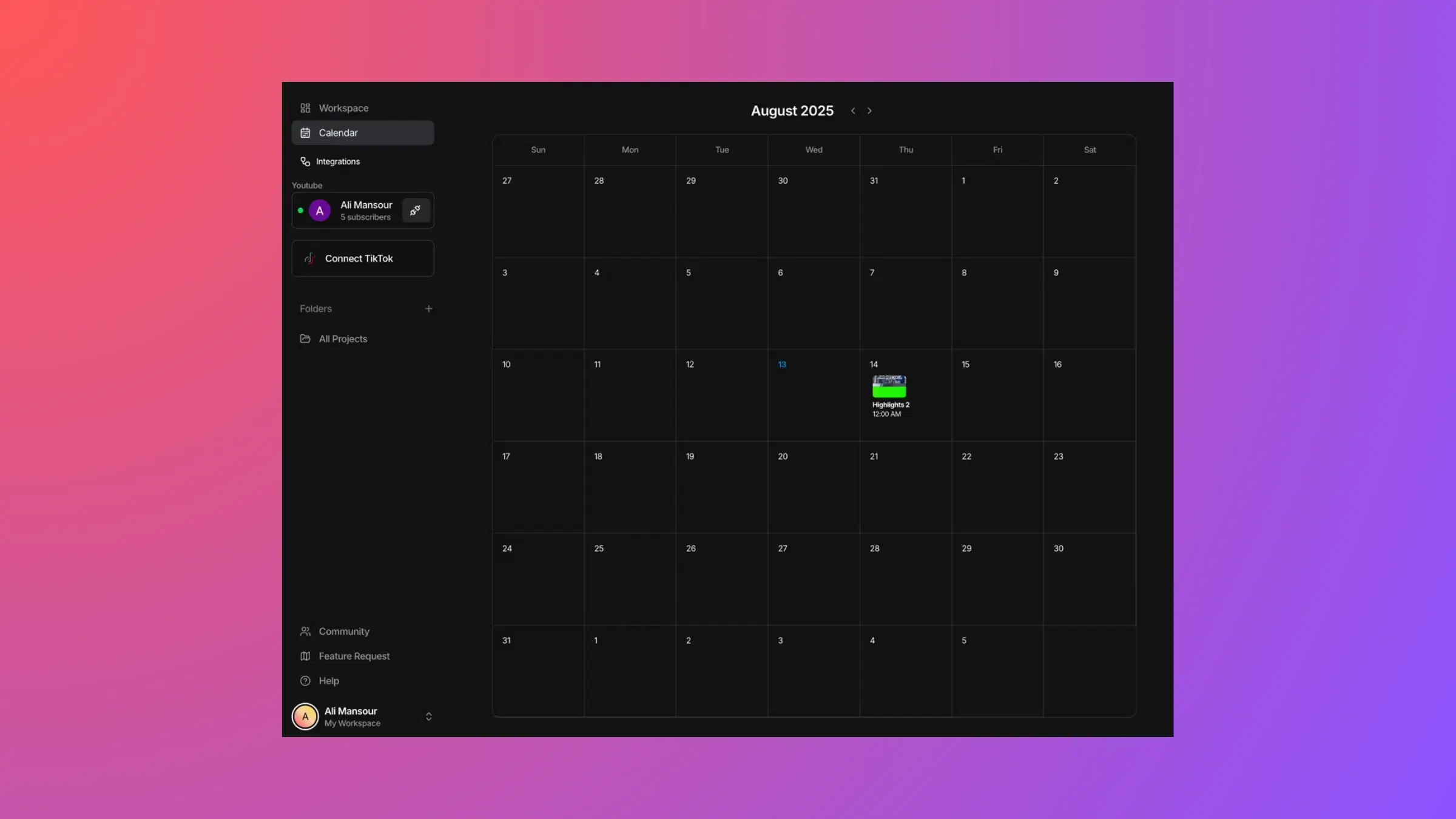
Connect your TikTok and YouTube accounts directly to Bytecap. Create your video in our editor and publish instantly to your channels with one click. No downloading, no uploading, no switching apps. Your videos go live from the editor.
30,000+ creators posting directly from Bytecap to TikTok and YouTube

Social Account Integrations allow you to connect your TikTok and YouTube accounts directly to Bytecap. Once connected, you can create, edit, and publish videos without ever leaving the editor. Your finished video publishes directly to your connected social accounts in seconds.
No more downloading videos to your computer, opening TikTok or YouTube separately, uploading, and waiting for processing. No more managing multiple tabs or apps. Just edit in Bytecap and hit "Publish." Your video is live.
Currently supported platforms:
Integrations are completely secure. Bytecap never stores your passwords. We use OAuth authentication (the same secure method banks use) to request permission from each platform.
Creating and publishing videos today is unnecessarily complicated. Here's the current workflow:
Total time: 25-50 minutes per video, and you're switching between 2-3 different apps/websites. This kills productivity and discourages creators from posting frequently.
Social Account Integrations eliminate all of this. Edit in Bytecap and publish in seconds—without ever leaving the editor.
Step 1: Connect Your Account — In Bytecap settings, click "Connect TikTok" or "Connect YouTube." You'll be securely logged in to your account and asked to authorize Bytecap.
Step 2: Create Your Video — Use all of Bytecap's tools to create your perfect video: AI captions, voiceovers, B-roll, effects, hook titles, highlighting, and more.
Step 3: Preview Your Video — Review your finished video in the editor. Make sure everything looks perfect before publishing.
Step 4: Add Platform Details — Add title, description, hashtags, and scheduling options. Different options for TikTok vs YouTube.
Step 5: Publish Directly — Click "Publish to TikTok" or "Publish to YouTube." Your video uploads instantly to your connected account. You're done.
Secure OAuth authentication for TikTok/YouTube
Use all editing tools in Bytecap
Review before publishing
Title, description, hashtags, scheduling
Instant upload to your connected account
No downloading, no app switching required
Connect your TikTok account and publish videos directly from Bytecap. Post, schedule, and reach your followers instantly.
Upload YouTube Shorts and long-form videos directly to your channel. No more downloading and re-uploading.
Edit in Bytecap and publish directly to your connected social accounts with one click.
We never store your passwords. Industry-standard OAuth keeps your accounts safe.
Schedule videos to post at the optimal time for your audience, even if you're offline.
Manage multiple TikTok channels and YouTube accounts. Switch between them instantly.
View video performance directly from Bytecap (coming soon).
Connect accounts and manage posts from any device, anywhere.
Time saved per video vs traditional workflow
App switching required
Platforms you can publish to simultaneously
Secure, password-free authentication
Open Bytecap settings and find Social Integrations. Click Connect next to TikTok or YouTube.
You'll be securely logged in to your social account. Authorize Bytecap to post videos.
From now on, when you finish editing, click Publish and choose your platform. Done!
Full editing suite with integrated social publishing
Create TikToks optimized for direct publishing
Make Shorts that publish directly to YouTube
Create viral titles that post with your video
Add captions that enhance your published videos
Add B-roll before publishing to social accounts
Start creating viral TikToks, Instagram Reels & YouTube Shorts today!